Overview
What was the problem?
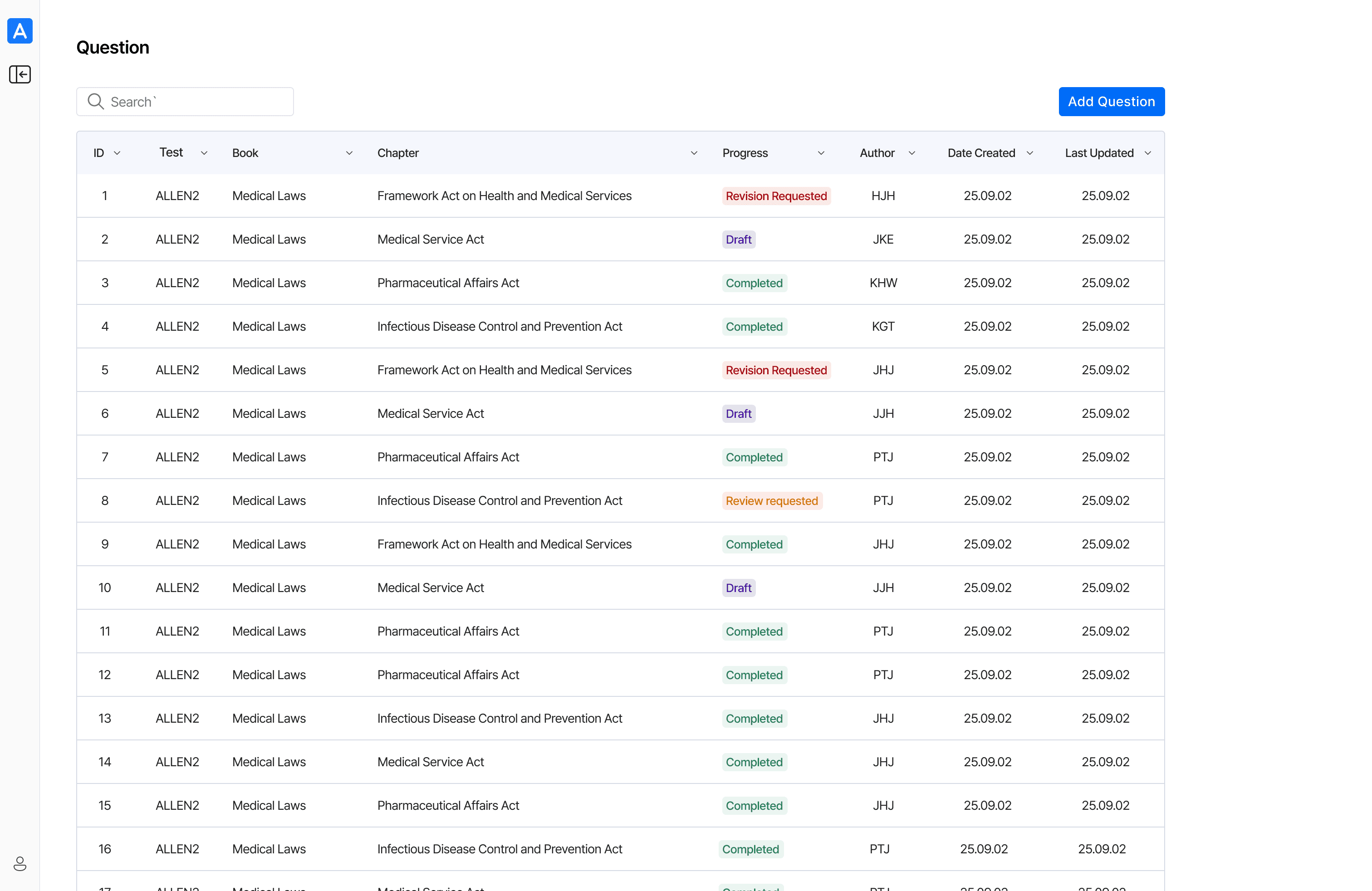
Medical students in Allen’s Library have no way to resolve uncertainties while solving practice questions

Solution
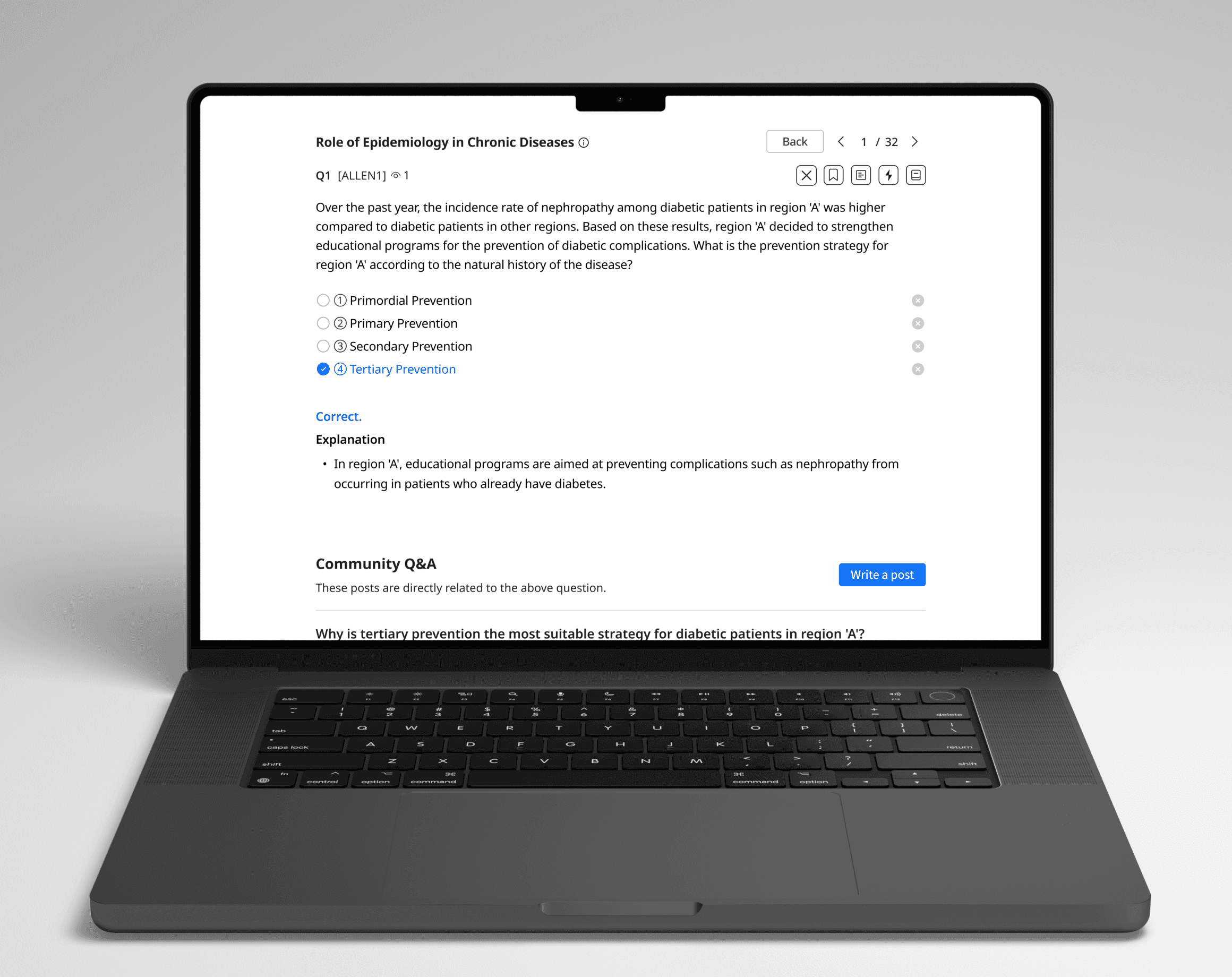
1. Community posts linked directly to each practice question screen
After completing a practice question, related Q&A posts are displayed below the question screen, allowing users to quickly review them if something is unclear.
2. Community page with subject-specific menus
The community main page features categorized menus, allowing students to easily navigate to the discussions they are interested in.
3. Subscription required notice
If users click on a practice question link in a post that isn’t included in their subscription plan, they’re redirected to a notification page indicating which plan is required to access it.
Business and User Impact
How did this project help business and users?
1. Operational Efficiency
13%
Exam-related chatbot inquiries now handled by the community, freeing the team for higher value work.
2. Enhanced User Engagement
Over 60% of community inquiries received responses, driving active participation through comments.
3. User-Generated Content Value
As users contributed over time, the platform built a rich repository of question-related discussions.
AS IS & Pain points
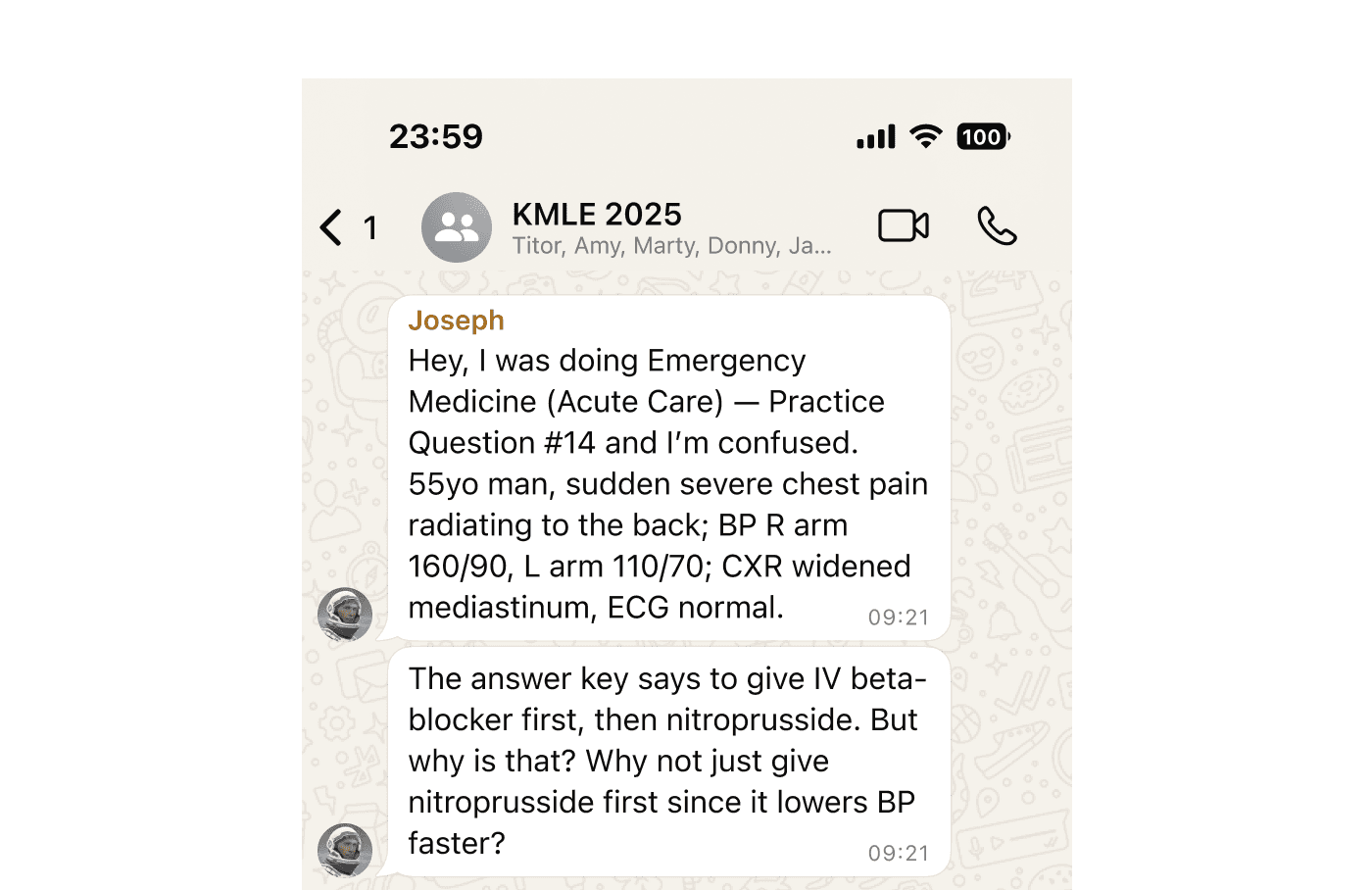
When medical students are unsure about practice questions, they often turn to group chats or search online


Competitive Analysis
I began competitive research on other online learning platforms that offer community features to engage users during study.
1. Eduwill

Strength: Community pages are divided into educational and general content.
Limitation: Questions are not linked back to the original study material. Without context, user engagement remains low.
2. Khan Academy

Strength: Users can post questions directly under each lesson or exercise, which keeps discussions contextual and relevant.
Limitation: There is no centralized hub; discussions are fragmented across different lessons.
1. Connect posts with their corresponding practice questions to provide context and encourage more responses.
2. Enable students to explore all posts on the community page to find and participate in discussions.
Goals
Success metrics
1. User engagement : ≥20% MAU actively engaging with the community feature within the first 4 months
2. Peer-to-peer support : ≥50% of posts answered within 5 days
3. User satisfaction: ≥ +30 NPS for the community feature in the annual user survey
Design Decisions
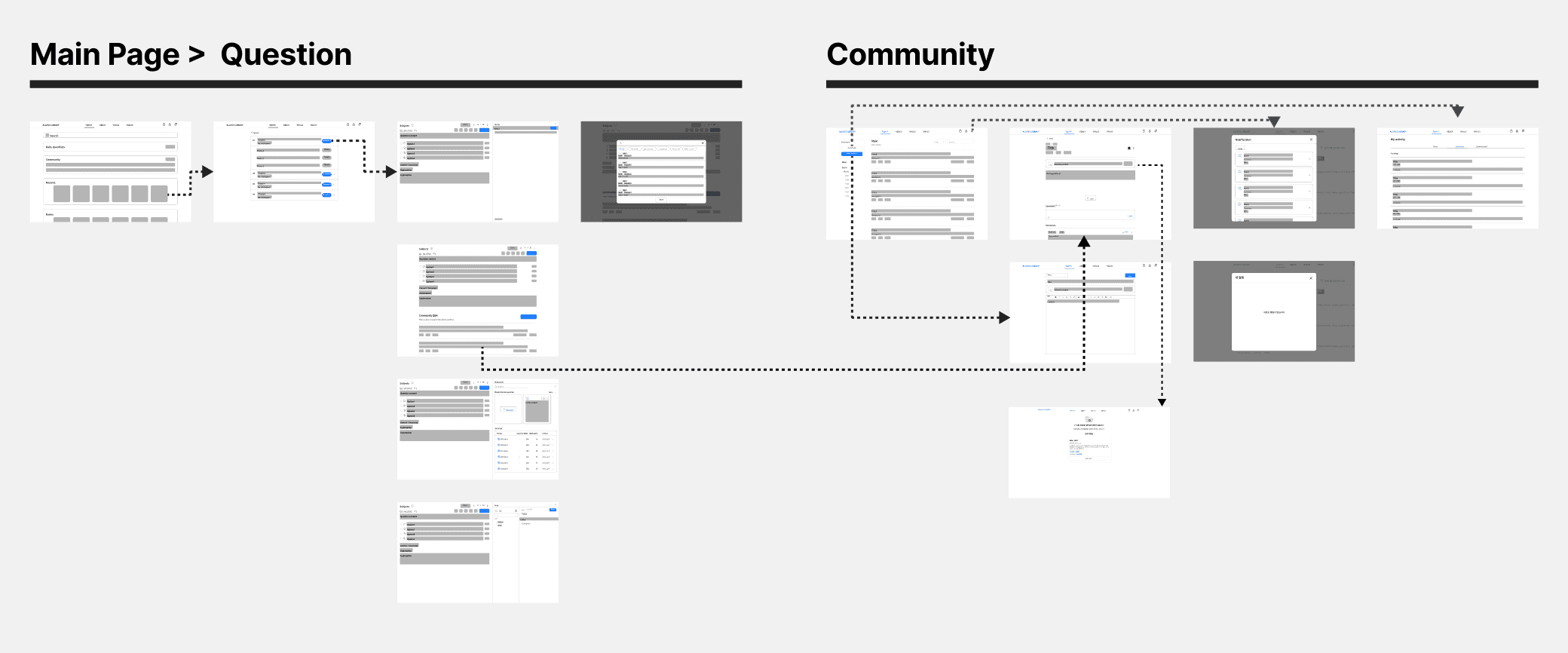
Shared the wireframes with the team to gather early feedback and iterate on them.
I created low-fidelity wireframes early on to align with the PM and developers, ensuring feasibility. Within the wireframes, I mapped out how features connect to each other, making it easier to identify overlooked functions and ensure a seamless process.
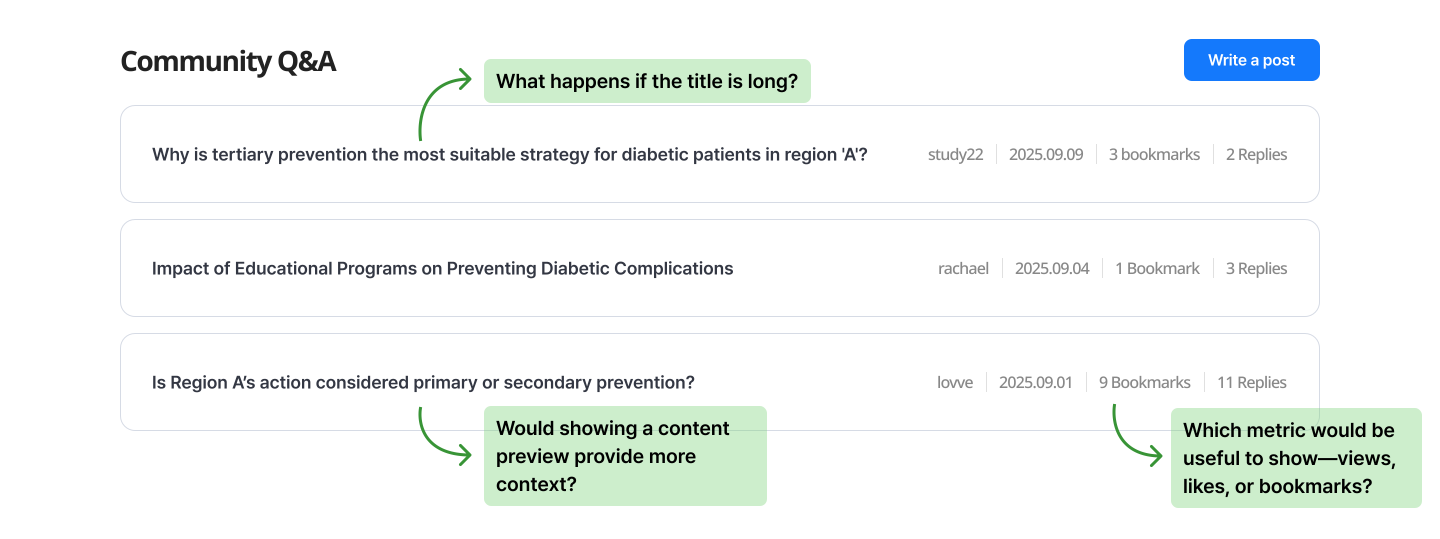
1. Community posts under practice question screen
We decided to show more information about the post so that users can quickly determine its relevance by skimming the title and content.
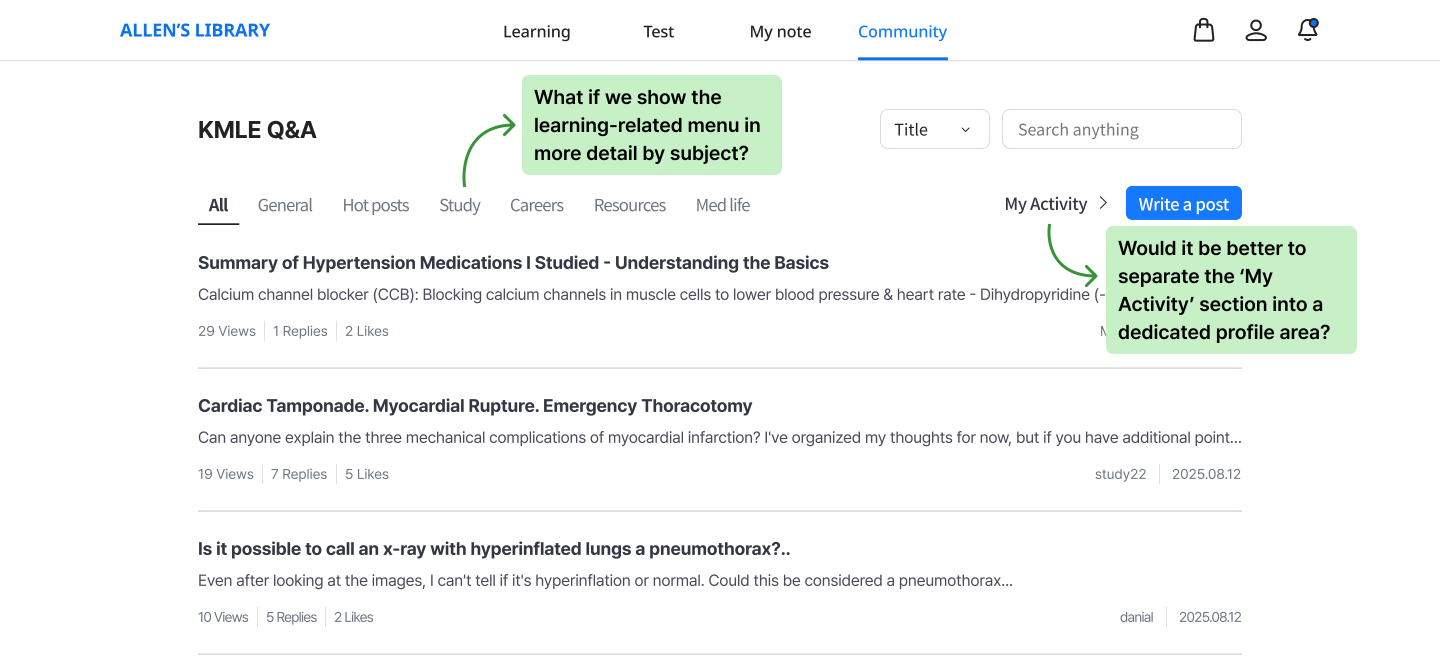
2. Main community page
We decided to organize the study-related menu by subject, making it easier for students to find and gather questions.
Final Designs
1. Community posting linked to each practice question screen
Related community postings are displayed directly below each question screen. This allows other students to easily understand the context and provide more accurate, relevant responses.
2. Community page with subject-specific menus
The community main page features categorized menus, allowing students to easily navigate to the discussions they are interested in.
3. Subscription required notice
When users click a question link in a post that is outside their subscription plan, they are taken to a notification page explaining the access restriction.
Improved mobile accessibility
In the mobile version of our web app, I introduced a top-down question flow to let users solve exercises seamlessly. I also adjusted fonts, icon sizes, and color contrast to improve readability and accessibility.

Tracking Impact
Success metrics
1. User engagement ( ≥ 20% MAU within the first 4 months )

Succeeded : Community MAU hit 32%, indicating high engagement from users.
2. Peer-to-peer support ( ≥ 50% of posts answered within 5 days)
Succeeded : For study-related questions, 68% received a response.
Needs improvement : For non-study related questions, only around 21% got a comment.
3. User satisfaction: ( ≥ +30 NPS for the community feature in the annual survey )
Succeeded : Got 42 NPS at the annual survey regarding the community feature.
Key takeaways
What I learned from this project
1. Comprehending a project's big picture holds greater value than focusing purely on aesthetics
I learned that understanding the project’s purpose and impact matters more than just visual polish, helping me focus on solutions that create real value for both the business and users.
2. Maintain frequent and prompt communication with developers
I found that involving developers early with prototypes was key to evaluating feasibility and exploring alternatives within technical constraints.
3. Importance of story telling
As the sole designer, I learned that storytelling is crucial for presenting research findings, giving context, and helping the team build a shared understanding.